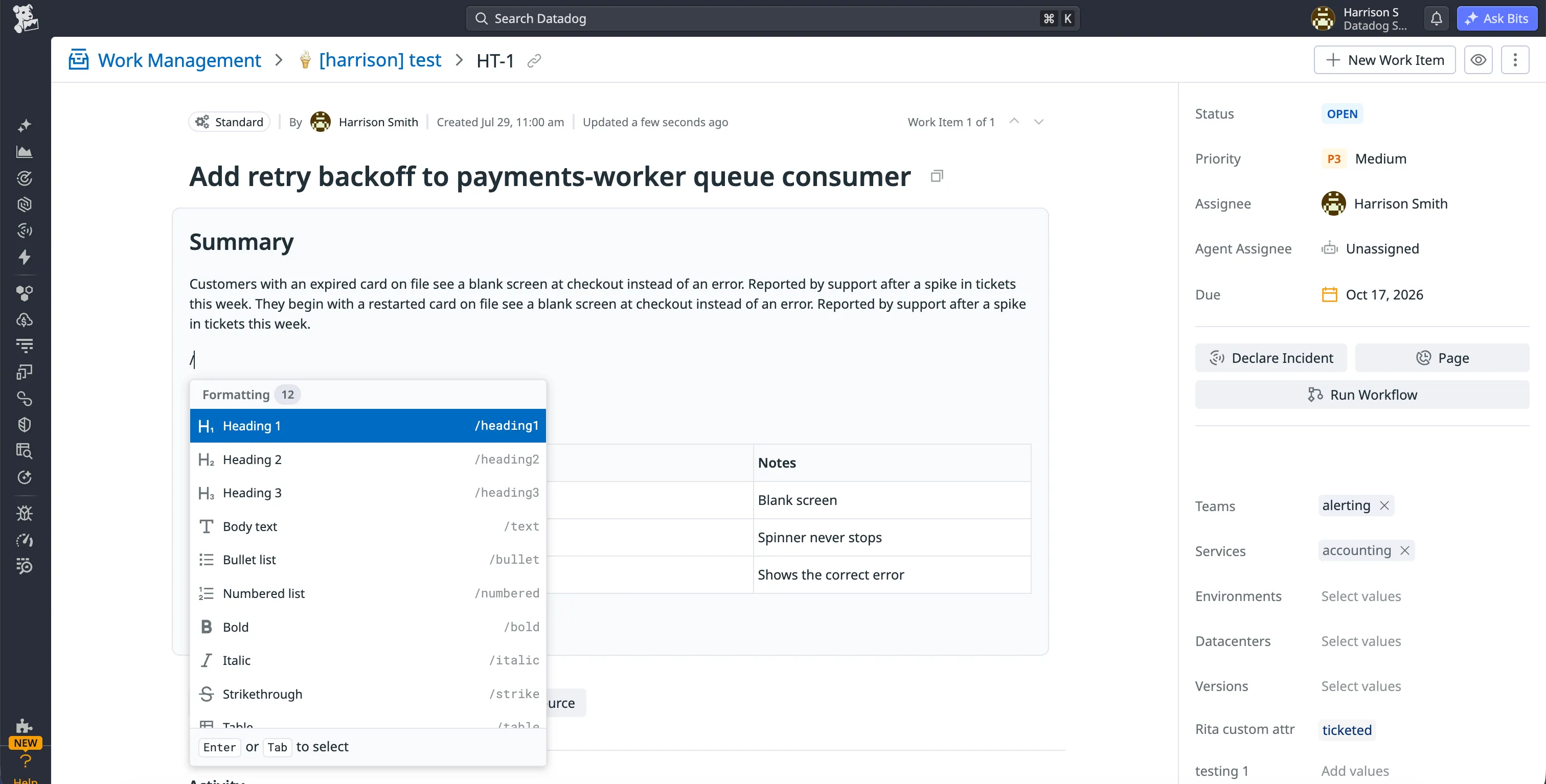
Markdown-free editing for Work Management
- Overview
- In Datadog Work Management, the description holds most of a work item's detail, but it was a plain markdown field. A heading, link or table meant knowing the syntax and picturing how it would render. Internal feedback, my PM and an engineer on my team all asked for something lighter. Engineering didn't have the bandwidth, and the change was frontend-only, so I designed, built and shipped it myself.
- Impact
- I led the design and frontend implementation of a new inline description editor, shipped as a stack of six PRs. It's now live for Work Management customers.
- Role
- Product DesignerFrontend Engineer
- Duration
- Summer 2026
- Team
- Roxanne M (PM)Benjamin G (Senior Engineer)Rahul G (Senior Engineer)
The problem
The old field had two problems. You had to know markdown: a table meant typing pipes, dashes and alignment rows by hand. And reading and writing were separate modes, so a quick fix meant switching to edit mode, typing and saving instead of just clicking in.
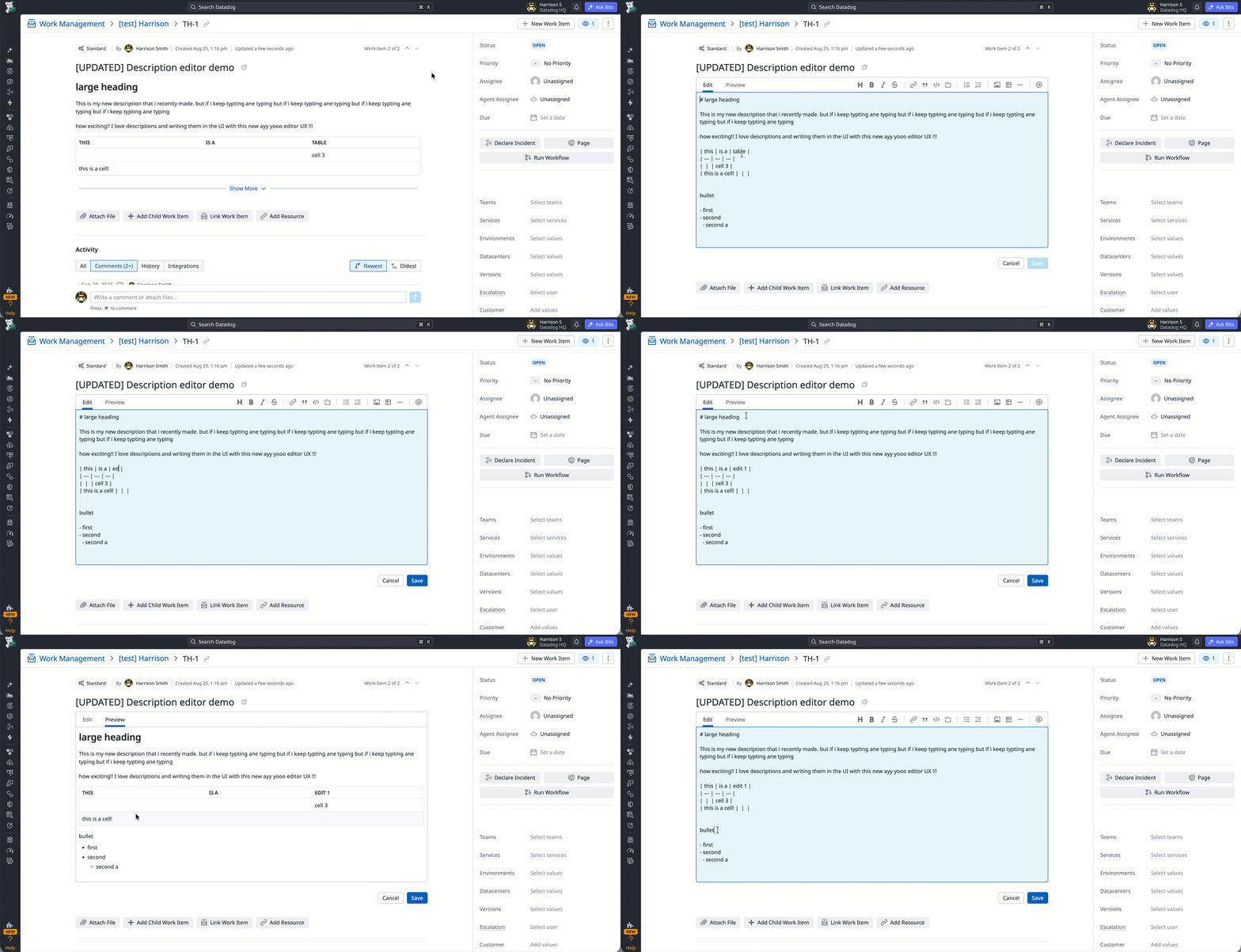
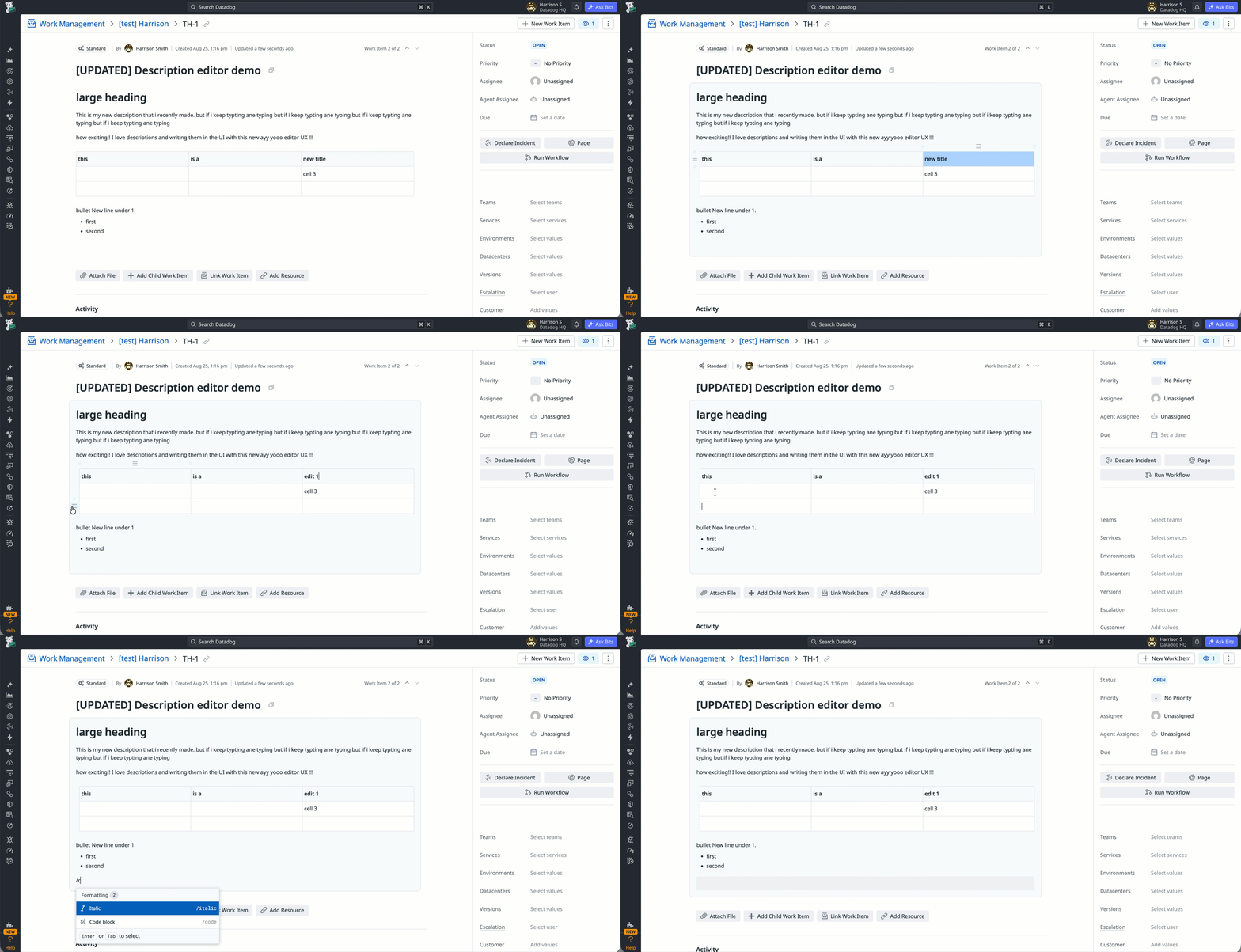
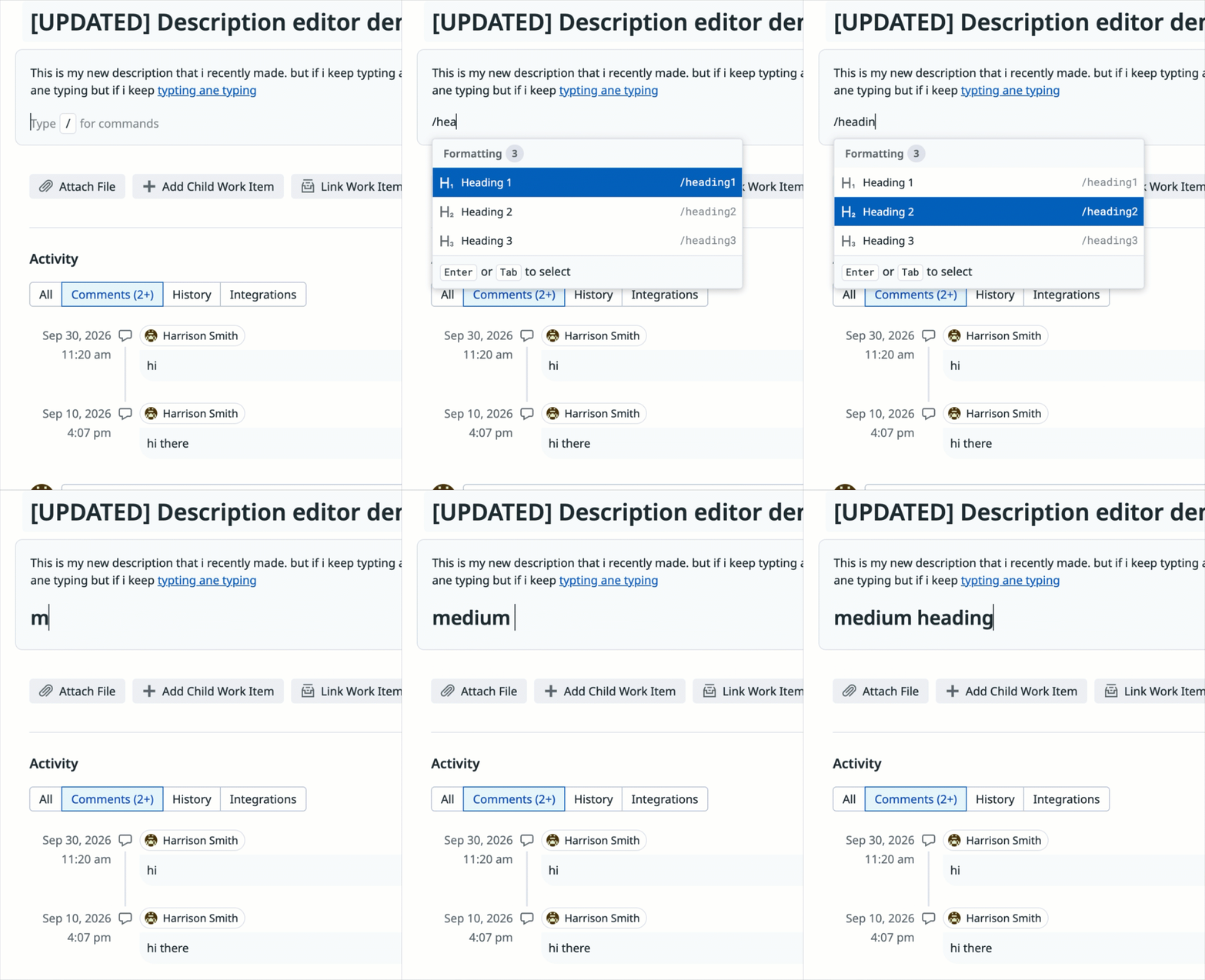
The new editor
Slash commands and a selection toolbar replace the syntax, and inline editing replaces the mode split. The interaction model comes from Notebooks. Descriptions are still stored as markdown, so the editor only offers what markdown can store.
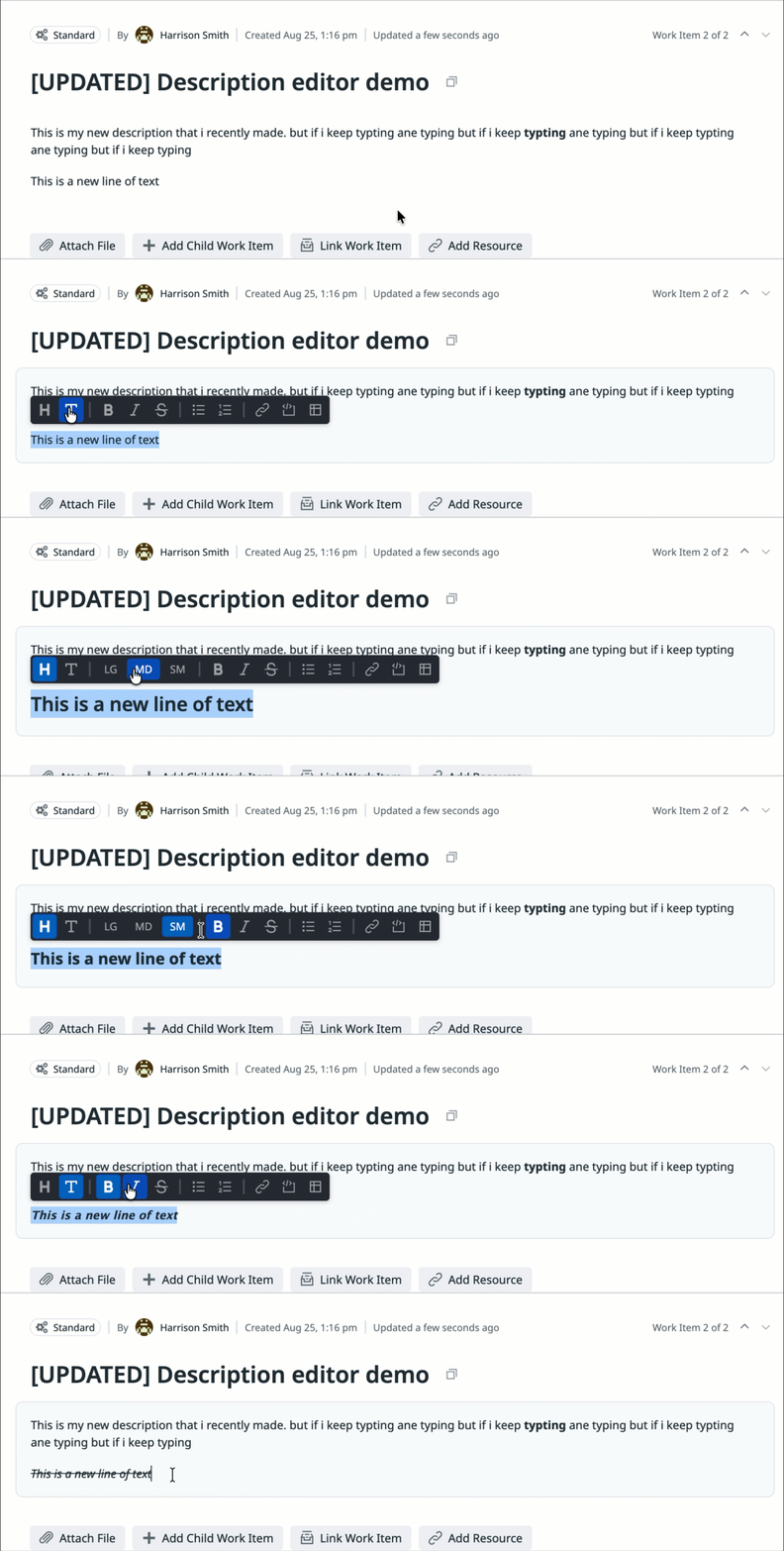
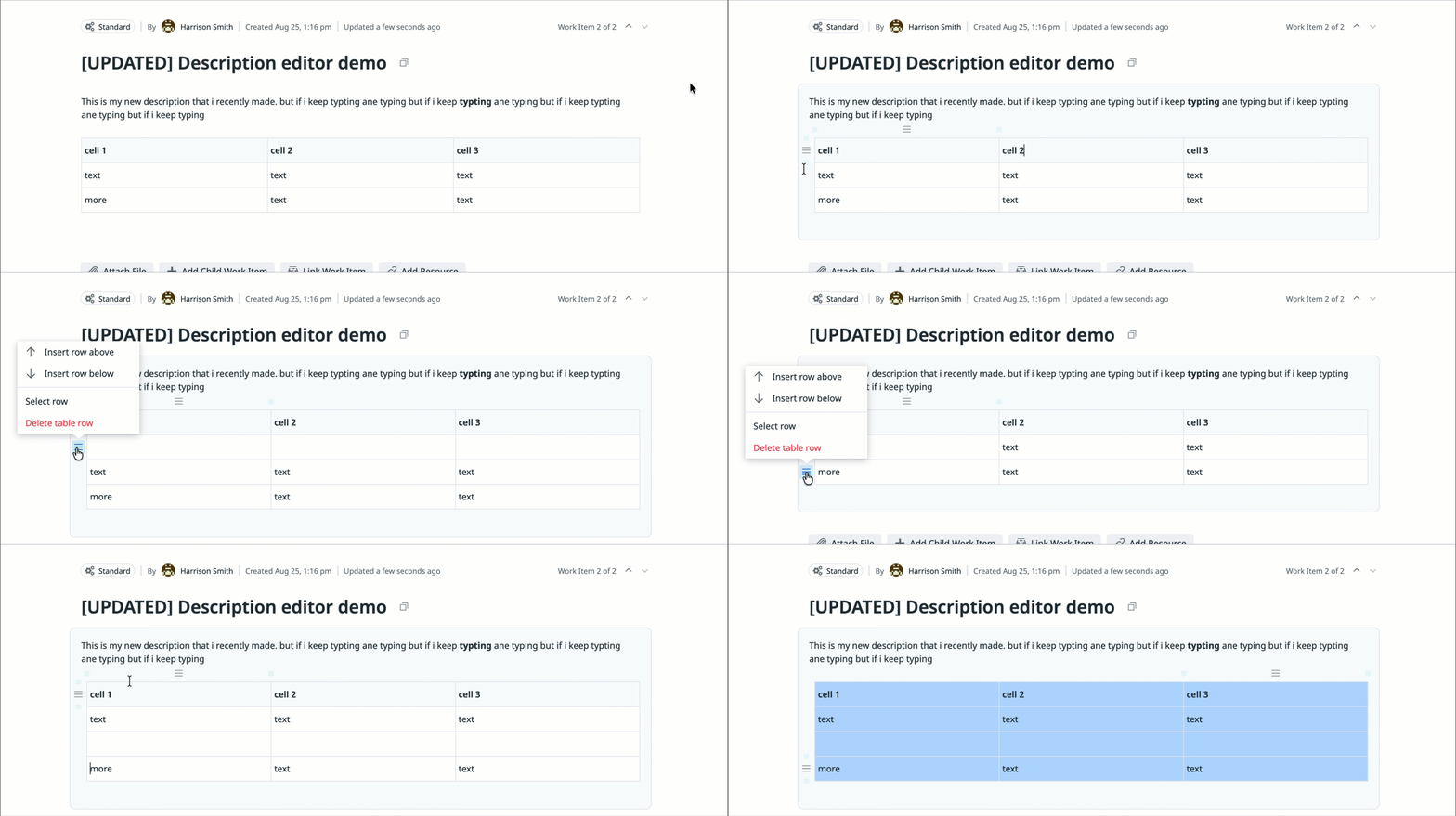
Seeing what changed
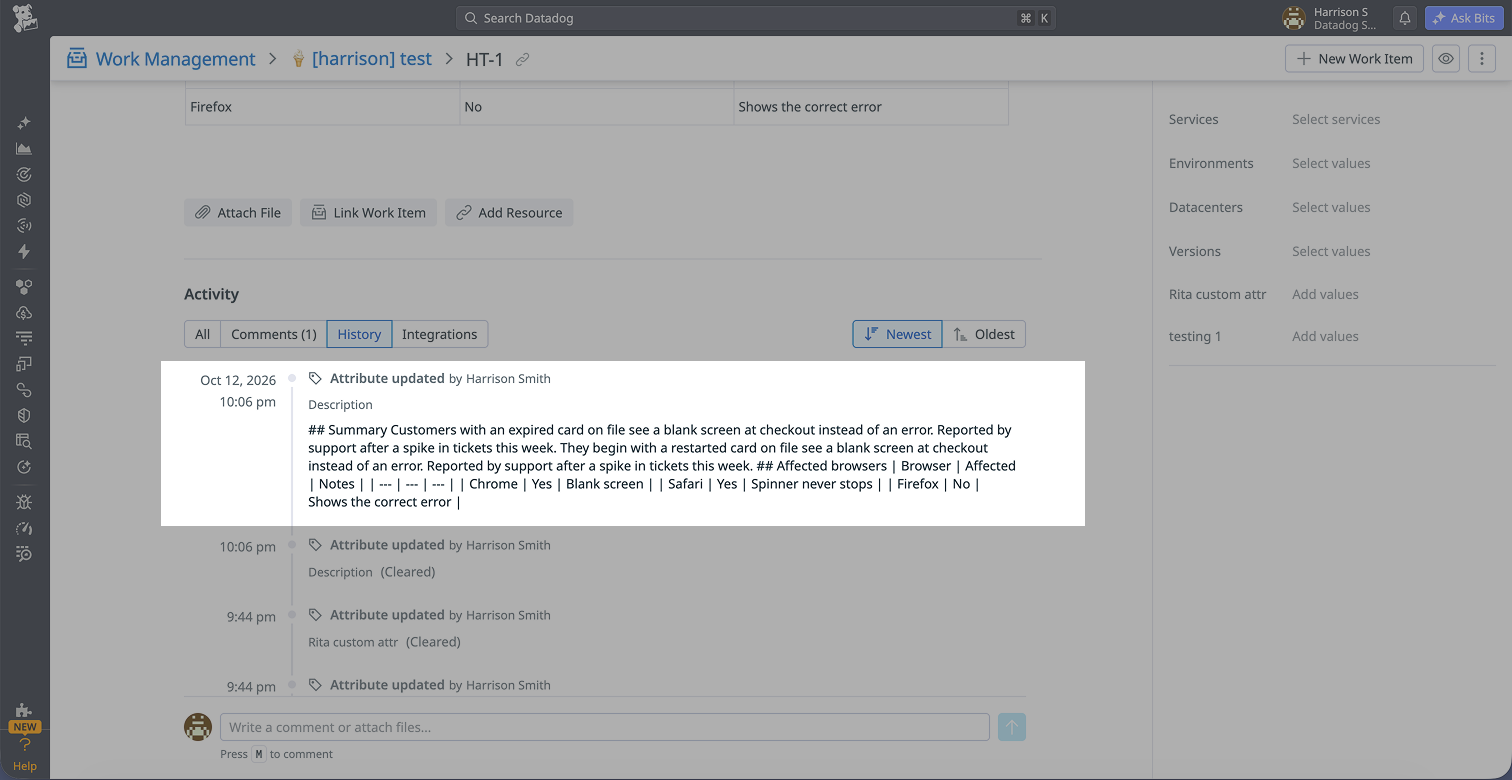
Before. The timeline posted the full description on every save, and autosave turned that into walls of flattened markdown. Spotting what changed meant comparing them by eye.
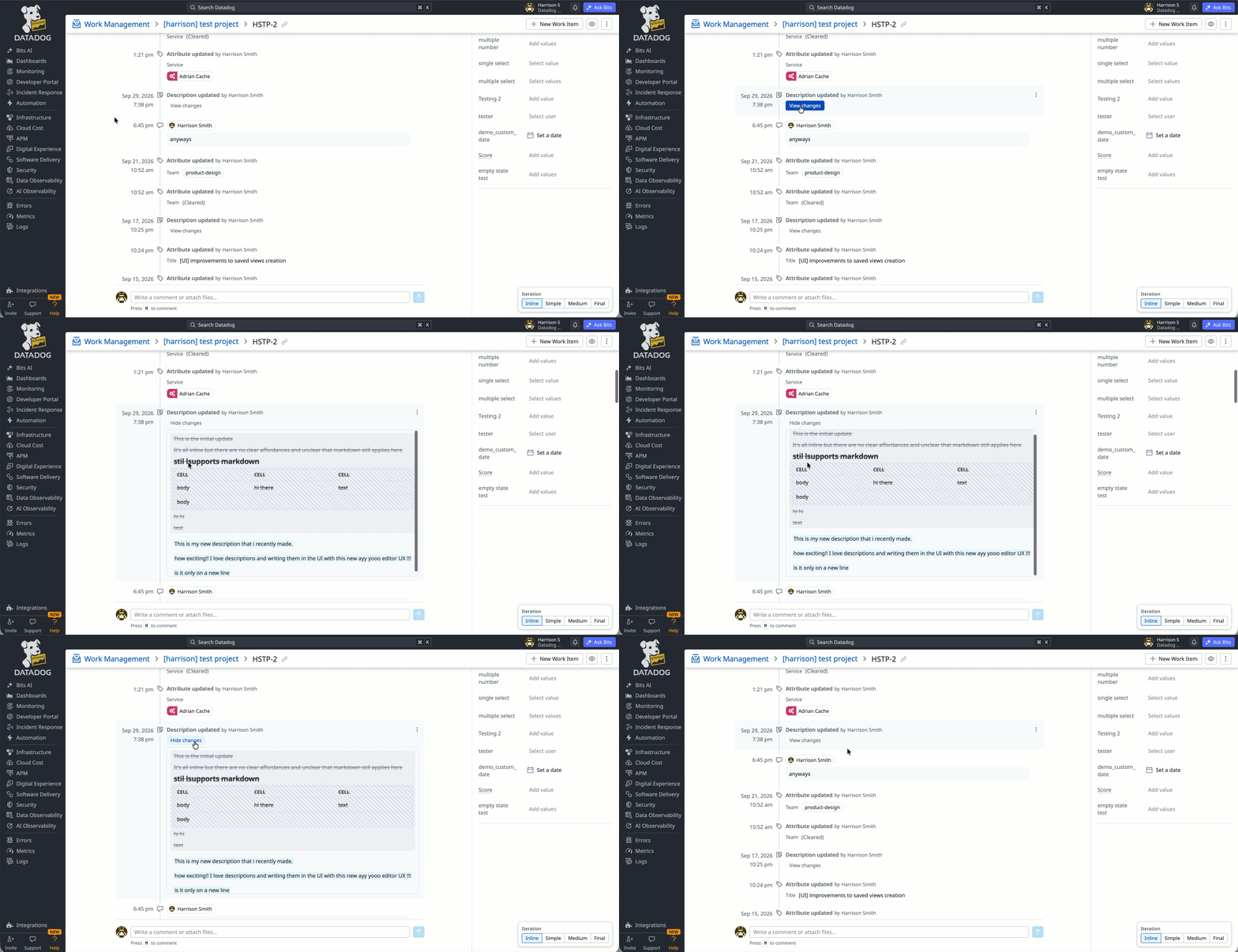
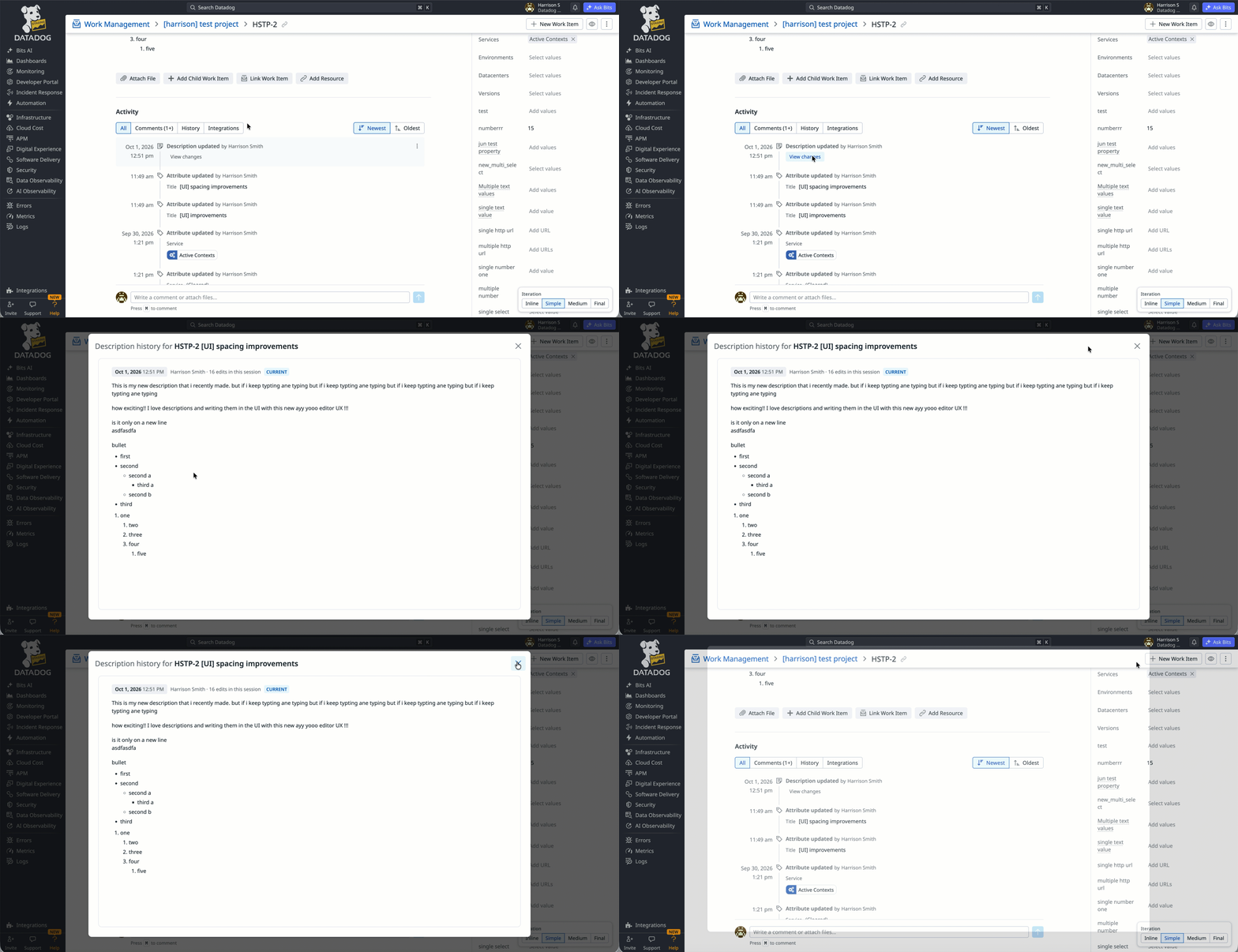
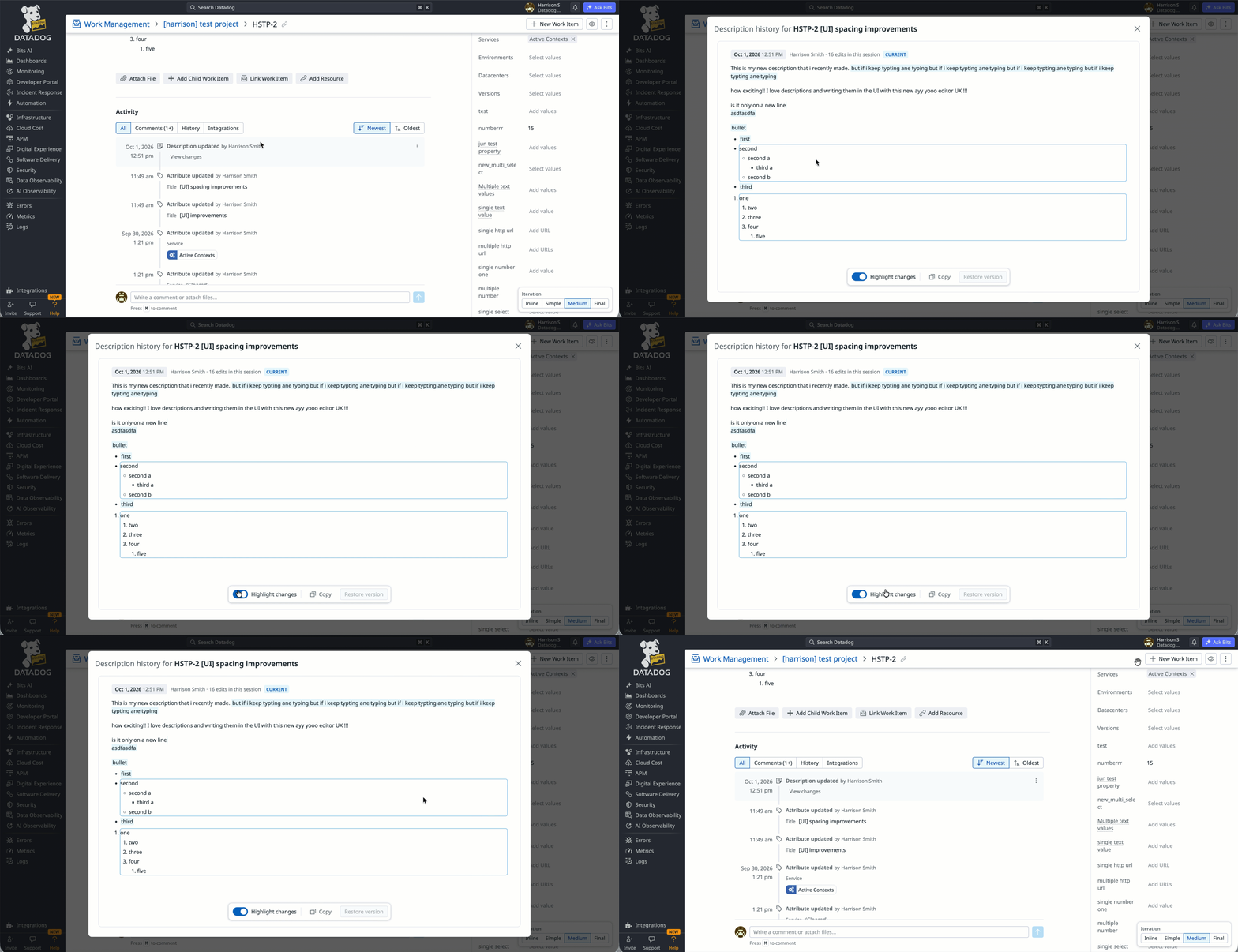
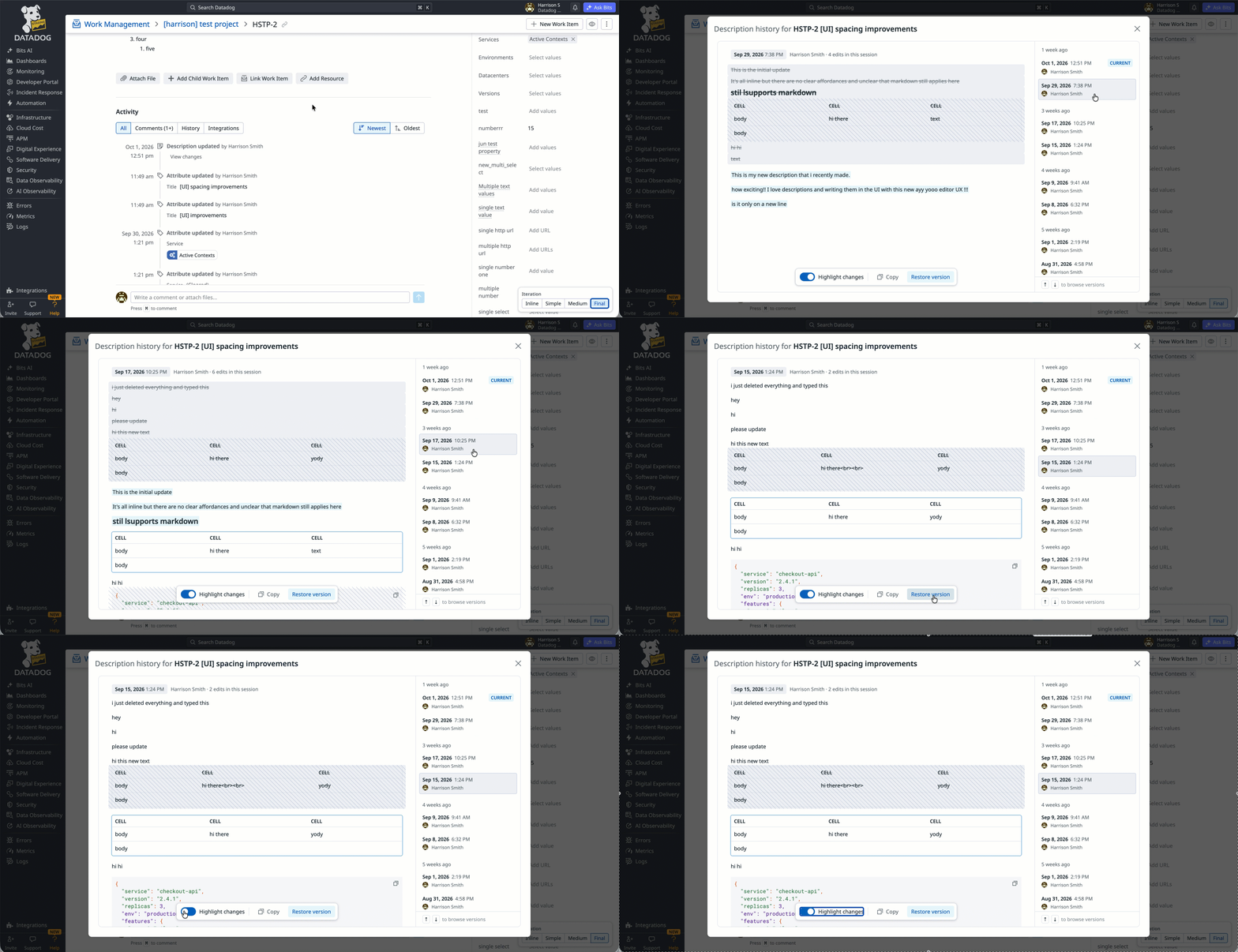
What shipped. Each edit becomes one line, and “View changes” opens a word-level diff right in the timeline.
What didn’t make it. I explored three versions that opened the history in a modal. The inline diff got most of their value with far less to build and maintain.
Design to production
After a quick Figma pass, I designed most of this in the browser, where I could tune details like cursor placement and link edge cases by using them. It’s built on ProseMirror through TipTap.
Stacked PRs
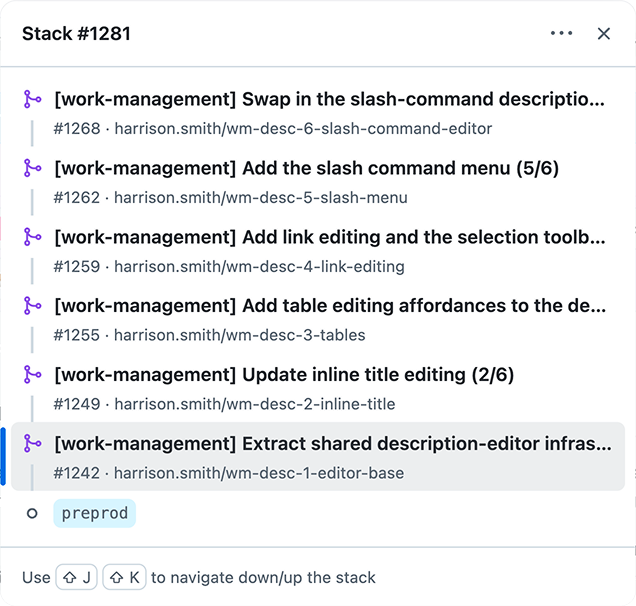
I split the work into six stacked PRs, each building on the last, with the final one switching the editor on. About 8,200 lines and 105 tests.
Comments and review
An engineer showed me a header toggle that didn’t survive a reload. That’s where the markdown-only rule came from. Review also caught bugs that could have lost unsaved edits.
Feature flag
Everything shipped dark behind a flag, and all six PRs merged together so nothing broke mid-stack.
Internal dogfooding
We turned it on internally first, and real use found bugs tests had missed. After a round of fixes, it went live for customers.
Great work on taking up the editor improvements, ironing out the smallest of the wrinkles takes time & I think we should set a similar bar for our UI features.
— Engineer on the Work Management team
I’m in Work Management every day. The table is working great.
— Work Management user who found markdown tables tedious
What I learned
- The storage format is a design constraint. “Can markdown store this?” settled most decisions before I’d drawn anything.
- Keep each stacked PR self-contained. If one PR has a bug or needs a rollback, the others shouldn’t depend on it.
Thanks to my PM, the engineers who reviewed every PR, and the Notebooks designer and engineer.