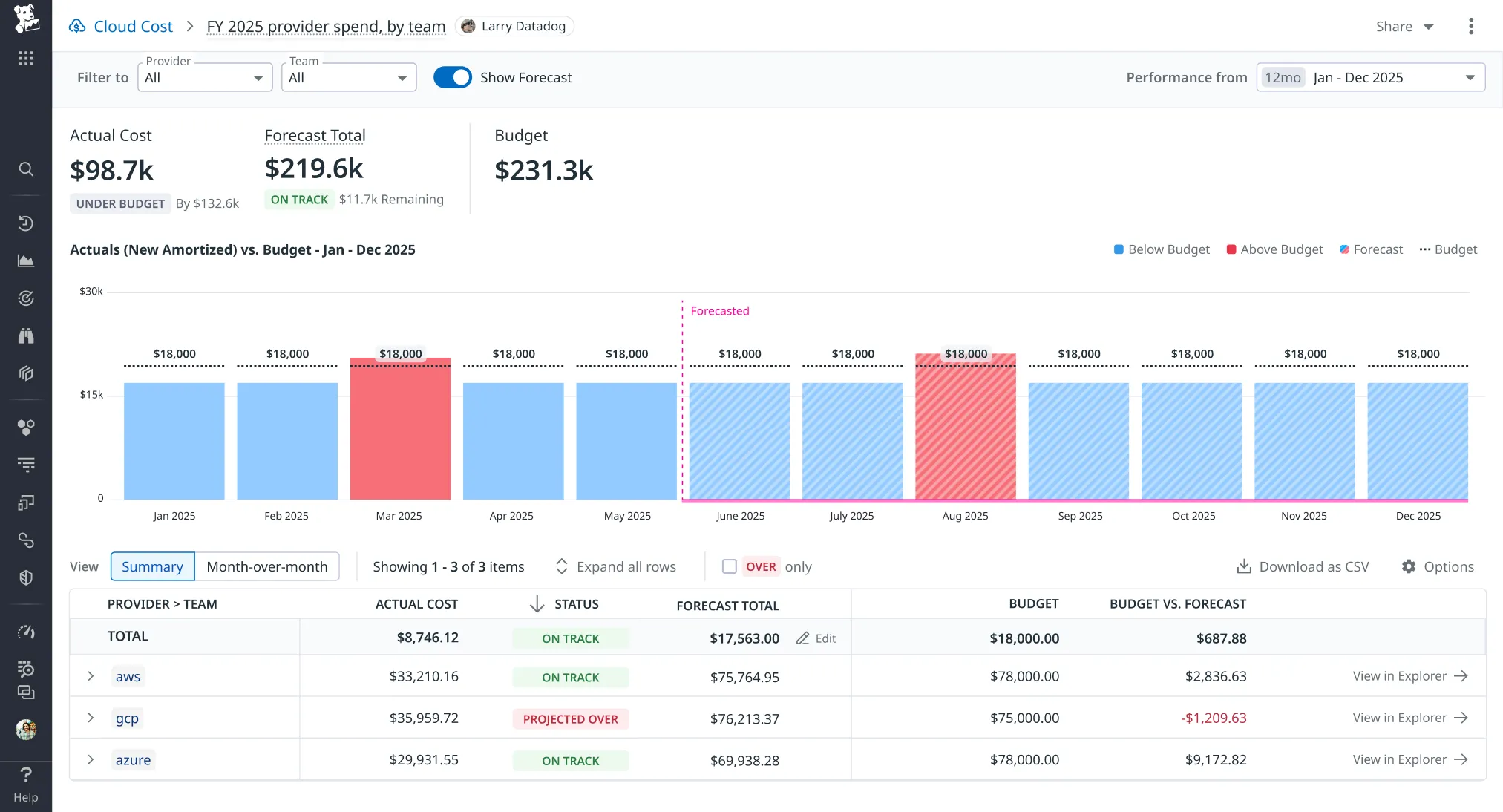
Editable cost forecasts for FinOps teams
- Overview
- Datadog wanted FinOps teams to run their whole budgeting workflow in Cloud Cost Management. They could set a budget and report on it, but they couldn't reforecast. Datadog's forecast came from historical spend alone, with no way to adjust it for launches, org changes or savings goals. As the sole designer on custom forecasts, I ran the research, scoped it with PM and engineering, and designed it through to launch.
- Impact
- Custom forecasts are live in Cloud Cost Management, so FinOps teams can reforecast by adjusting the generated forecast instead of rebuilding one from scratch.
- Role
- Product Designer Intern
- Duration
- May – Aug 2025
- Team
- Matt H (Design Manager)Natasha G (PM)Terrence W (Engineer)
The problem
FinOps teams own a company’s cloud budget. They plan it at the start of the year, reforecast as plans change, and report to leadership. Datadog already had all their cost data, but only supported the first and last steps.
Datadog’s forecast is built from past spend, and users couldn’t change it. So when a launch, a hiring push or a cost-savings project was coming, the only place to account for it was a spreadsheet.
Datadog doesn’t know our org changes, [future] launches, or savings goals, we do.
— FinOps team at a Datadog customer
Research
I interviewed FinOps teams at four companies to learn how the generated forecast fit into their budgeting. Two findings shaped the design:
- They need to customize. Teams adjust their forecasts for plans Datadog can’t see.
- They still want the generated forecast. It’s a good starting point and fills in whatever they don’t override.
So the design starts from the generated forecast and lets you edit any value in it.
The solution
Edit forecast
Editing starts from the budget table, where FinOps teams already compare forecast, budget and actual spend for each budget line.
Interaction details
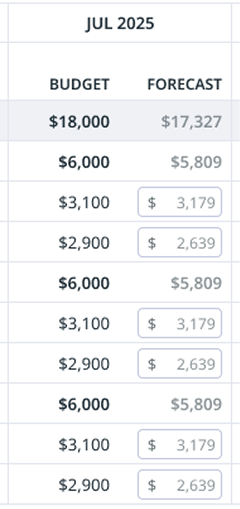
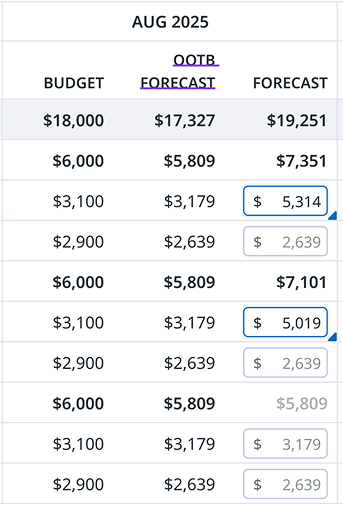
- Unedited values are grey placeholder text.
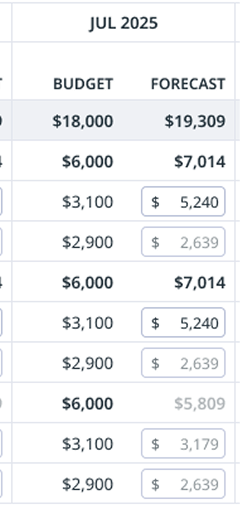
- After you change a value, its text turns black and the cell turns blue. Toggle on the OOTB forecast to see what Datadog originally forecasted.
- Custom values from an earlier session stay black.
Review forecast
Back on the budget page, the updated forecast sits against the budget for the rest of the year, so a projected overrun shows up early.
If we can make this work, this will be our budgeting, forecasting, visibility tool going forward.
— FinOps team at a Datadog customer
What I learned
- Companies forecast very differently. The design had to stay flexible enough for several kinds of FinOps user.
- A spreadsheet user expects a spreadsheet. The job was to make editing feel like sheets while still looking like the rest of Cloud Cost Management.
- New domains take homework. I got up to speed on FinOps through a lot of reading and videos.